
Liquid Cooling Thermaltake Water 2.0 Extreme CPU Cooler PN CLW0217

PN: CLW0217

This product is no longer avaliable.

See suggested alternative models below.

Suggested Products

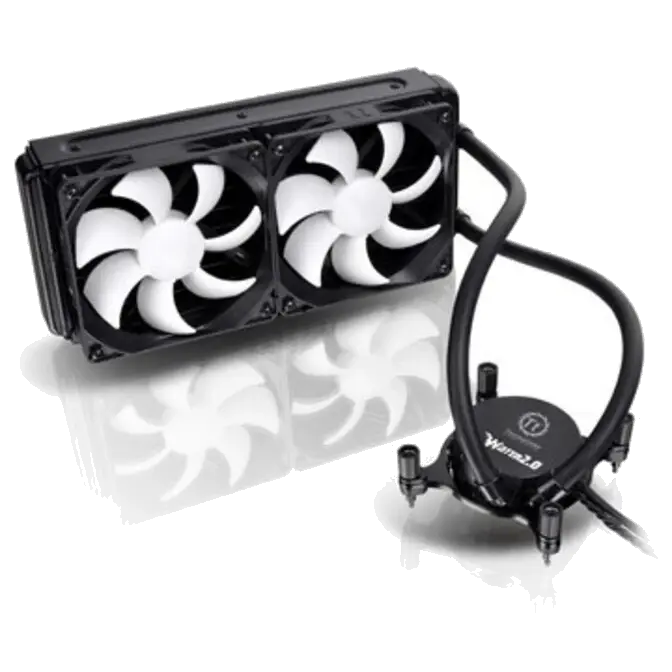
Top of the line liquid cooler, equipped with Power and Performance. No Refills Needed. 240mm Radiator Doubles the Cooling Surface. Universal Socket Compatibility PN CLW0217

Features

Liquid Cooling Thermaltake Water 2.0 Extreme CPU Cooler PN CLW0217

– Top of the line liquid cooler, equipped with Power and Performance. No Refills Needed.
– 240mm Radiator Doubles the Cooling Surface
– Universal Socket Compatibility


Detailed Features

Top of the line liquid cooler, Equipped with Power and Performance.
No Refills Needed.

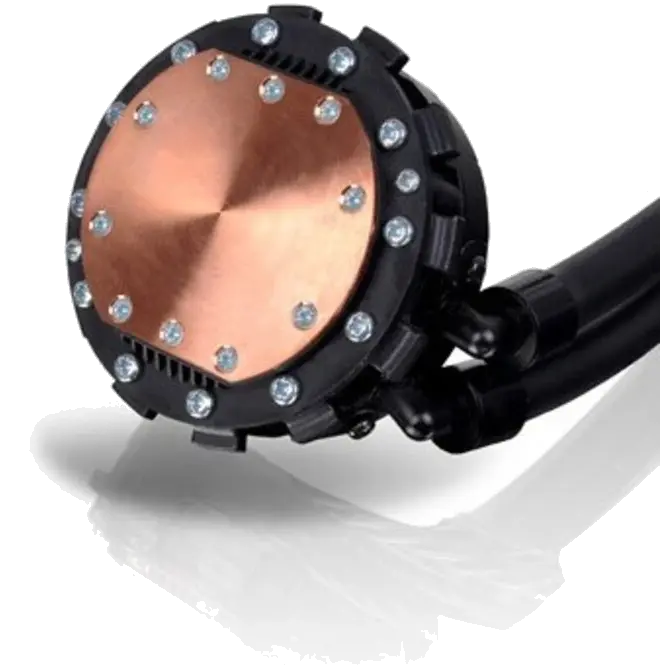
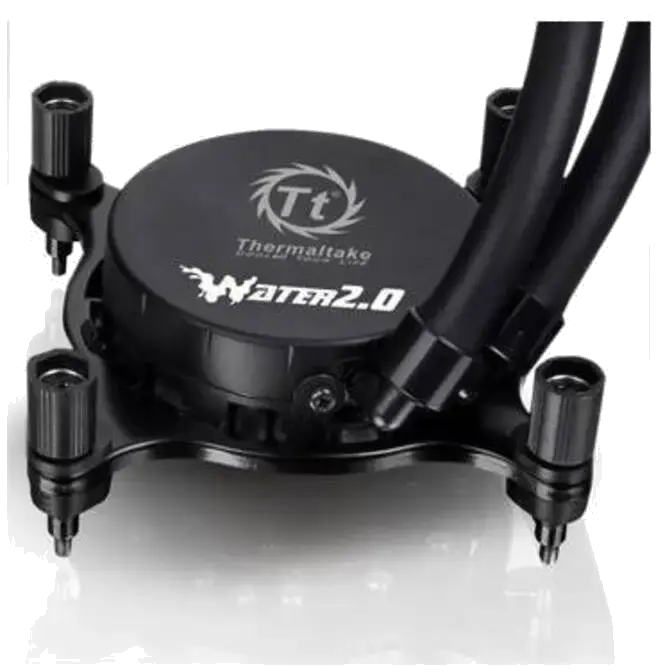
  • High performance Copper base plate accelerates the heat conductivity.
  • High reliability low profile pump provides quick liquid circulation lowering the temperature.
  • Pre-filled coolant reduces the liquid replenishment hassle.
  • Low evaporation tube decreases the loss of coolant effectively.
  • The high-tech sealed circulation system prevents leaking issue.

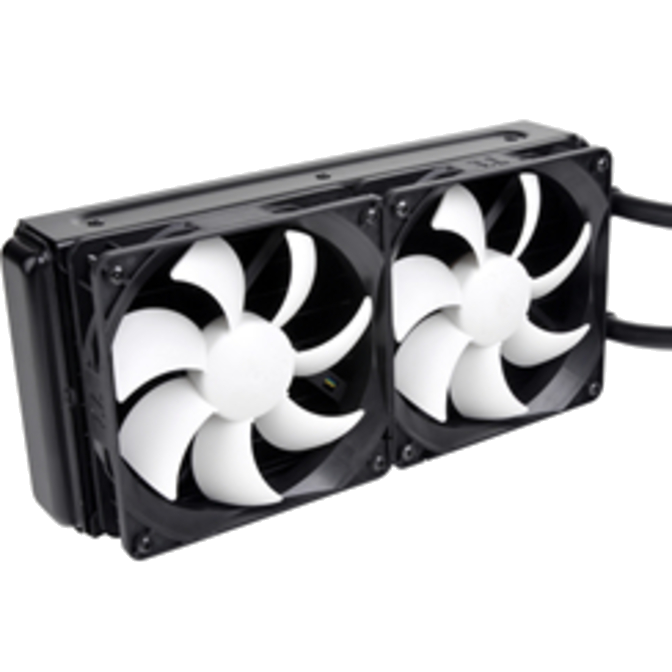
240mm Radiator Doubles the Cooling Surface

  • Powerful fan blows the heat of radiator out to the chassis to maximize cooling performance.
  • PWM control function fan spins between 1200~2000rpm, can be adjusted on fan control software .
  • Easy and simple installation methods.
  • Fan control software (included), users can control, monitor and customize according to their desires.

Universal Socket Compatibility & Accessory Package

  • Universal socket support:
    Intel: LGA2011, LGA1366, LGA1156, LGA1155, 
    AMD: FM1, AM3+, AM3, AM2+, AM2

Liquid Cooling Thermaltake Water 2.0 Extreme CPU Cooler PN CLW0217 Liquid Cooling Thermaltake Water 2.0 Extreme CPU Cooler PN CLW0217 Liquid Cooling Thermaltake Water 2.0 Extreme CPU Cooler PN CLW0217

High Performance Waterblock

High Reliability Pump

High Efficiency Radiator

Liquid Cooling Thermaltake Water 2.0 Extreme CPU Cooler PN CLW0217 Liquid Cooling Thermaltake Water 2.0 Extreme CPU Cooler PN CLW0217 Liquid Cooling Thermaltake Water 2.0 Extreme CPU Cooler PN CLW0217

Powerful Cooling Fan

Universal Socket Compatible

Fan Control Software


Performance

Liquid Cooling Thermaltake Water 2.0 Extreme CPU Cooler PN CLW0217


Water 2.0 Series Installation Manual – Extreme


Step One: Installing the Pump
Intel LGA 2011

Liquid Cooling Thermaltake Water 2.0 Extreme CPU Cooler PN CLW0217   Liquid Cooling Thermaltake Water 2.0 Extreme CPU Cooler PN CLW0217
1. Snap the top and bottom plastic component together on to the 4 side of retention ring and placing the screws into the openings on the ring. (make sure to show 2011)   2. Attach retention ring to the pump and snap the retaining clip to the retention ring, locking the ring to the pump
Liquid Cooling Thermaltake Water 2.0 Extreme CPU Cooler PN CLW0217    
3. Placed the composed pump on to the CPU and use hand to screw until its tight, user may use screw driver for tightening.    


LGA1366/1156/1155

Liquid Cooling Thermaltake Water 2.0 Extreme CPU Cooler PN CLW0217   Liquid Cooling Thermaltake Water 2.0 Extreme CPU Cooler PN CLW0217
1. Please check the socket type match CPU and choose the right opening to place into it.   2. Stick Mylar on the back of the plate and place the four grommets on to the corresponding openings.
Liquid Cooling Thermaltake Water 2.0 Extreme CPU Cooler PN CLW0217   Liquid Cooling Thermaltake Water 2.0 Extreme CPU Cooler PN CLW0217
 
3. Stick the composed Back Plate on to the back of the motherboard   4. Snap the top and bottom plastic component together on to the 4 side of socket ring follow by placing the screws into the openings on the ring.
Liquid Cooling Thermaltake Water 2.0 Extreme CPU Cooler PN CLW0217   Liquid Cooling Thermaltake Water 2.0 Extreme CPU Cooler PN CLW0217
5. Attach retention ring to the pump and snap the retaining clip to the retention ring, locking the ring to the pump   6. Placed the composed pump on to the CPU and use hand to screw until its tight, user may use screw driver for tightening.
 
AMD
Liquid Cooling Thermaltake Water 2.0 Extreme CPU Cooler PN CLW0217   Liquid Cooling Thermaltake Water 2.0 Extreme CPU Cooler PN CLW0217
1. Stick Mylar on the back of the plate and place the four grommets on the corresponding openings. . 2. Snap the top and bottom plastic component together on to the 4 side of socket ring follow by placing the screws into the openings on the ring.
Liquid Cooling Thermaltake Water 2.0 Extreme CPU Cooler PN CLW0217   Liquid Cooling Thermaltake Water 2.0 Extreme CPU Cooler PN CLW0217
3. Stick the composed Back Plate on to the back of the motherboard   4. Attach retention ring to the pump and snap the retaining clip to the retention ring, locking the ring to the pump
Liquid Cooling Thermaltake Water 2.0 Extreme CPU Cooler PN CLW0217    
5. Placed the composed pump on to the CPU and use hand to screw until its tight, user may use screw driver for tightening.    


Step Two: Installing Radiator

   
Liquid Cooling Thermaltake Water 2.0 Extreme CPU Cooler PN CLW0217    
Install both fans on to the radiator first follow by mounting the composed unit on to the chassis. Make sure to check the airflow direction on both fan units.    
 

Step Three: Completing Installation

   
Liquid Cooling Thermaltake Water 2.0 Extreme CPU Cooler PN CLW0217 Liquid Cooling Thermaltake Water 2.0 Extreme CPU Cooler PN CLW0217
Liquid Cooling Thermaltake Water 2.0 Extreme CPU Cooler PN CLW0217
1. Connect the fans to pump fan output cable.
  2. Connect the Pump Power Cable onto the nearest CPU fan header of motherboard, and connect USB cable to motherboard. Installation completed.

FAN Control


Water 2.0 Extreme Fan Control Operation

  Liquid Cooling Thermaltake Water 2.0 Extreme CPU Cooler PN CLW0217
1. After Complete installing and launching Fan Control software, it will display the Dashboard as the main interface. At this window it will show the information such as Liquid Temperature, Sound Level, Fan Speed and Pump Speed.
  Liquid Cooling Thermaltake Water 2.0 Extreme CPU Cooler PN CLW0217
2. Users may change the performance setting on the top-right corner. Under these settings, users can choose (starting from the left)

    1. Extreme Performance: The Fan on this unit will spins at the maximum speed (2000RPM) that delivers the maximum performance.
    2. Silent Performance: The Fan on this until will spins at the lowest speed (1200RPM) that gives full quietness while maintains good performance.
    3. Custom Performance: Users can customize their desire working temperature under the Fan Control Interface, the software will automatically adjust the fan speed correspond to the desire temperature
  Liquid Cooling Thermaltake Water 2.0 Extreme CPU Cooler PN CLW0217
3. Users may choose Graph setting for different viewing type of performance statistic.
  Liquid Cooling Thermaltake Water 2.0 Extreme CPU Cooler PN CLW0217
4. Users can set their desire Fan Ramp Start Temp and Full Fan Speed Temp to Customize their desire performances. Also may choose the notification for both temperature and the fan speed.
  Liquid Cooling Thermaltake Water 2.0 Extreme CPU Cooler PN CLW0217
5. Users can choose the desire temperature display either in Celsius or Fahrenheit and run the program during the system start-up etc. In addition, users may change the color skin to Blue (Illustrated on the right)


Water Block Material : Copper
Pump Motor speed : 2800+-150 RPM
Rated Voltage : 12V
Rated Current : 220mA
Fan Dimension : 120 x120 x 25mm
Speed : 1200~2000RPM
Noise Level : 27.36dBA(Max)
Rated Voltage : 12V
Rated Curre : 0.5A
Max. Air Flow : 81.32CFM
Connector : 4 Pin
Radiator Dimension : 270 x 120 x 38.3 mm
Material : Aluminum
Tube Length : 326 mm
Material : Rubber
Weight 1,150g
Compatibility Intel:
LGA 2011
LGA 1366
Core i7
LGA 1155/1156
Core i7/Core i5/Corei3
Core 2 Extreme/Core 2 Quad/Core 2 Duo/Pentium D/Pentium 4/Pentium/ Celeron D/Celeron

AMD:
FM1
A-series
AM3+ / AM3
Phenom II/Athlon II/
Athlon/Sempron series
AM2+ / AM2
Phenom II/Phenom/
Athlon/Sempron series


Warranty Information


1 Year

Manufacturers Warranty

Image Of A Computer Alliance Staff

Tech help, without the jargon.

Need a hand with something tech related? Our team put the human lingo in technology. Simply give us a call and we’ll be more than happy to assist!

Recently Viewed

Free Shipping *T&Cs Apply
msi-vector-gp78hx-13vi-469au-17-rtx4090-core-i9-laptop-win-11-0
MSI Vector GP78HX 13VI-469AU 17" RTX4090 Core i9 Laptop Win 11

PN: Vector GP78HX 13VI-469AU

Original price was: $5,799.Current price is: $4,599.

OUT OF STOCK
Free Shipping *T&Cs Apply

Select Wishlist

Shopping Cart

Estimate Shipping (enter postcode)

Product Help Form

Product - Liquid Cooling Thermaltake Water 2.0 Extreme CPU Cooler PN CLW0217