Normal: Up to 28 ppm [13]
Black: As fast as 6.8 sec [15]
Black: As fast as 6.9 sec [15]
Up to 20,000 pages [10] Duty cycle is defined as the maximum number of pages per month of imaged output. This value provides a comparison of product robustness in relation to other HP LaserJet or HP Color LaserJet devices, and enables appropriate deployment of printers and MFPs to satisfy the demands of connected individuals or groups.
PCL5c; PCL6; PS; PCLm; PDF; URF; PWG
HP 94A Original Black LaserJet Toner Cartridge CF294A (~1200 pages), HP 94X Original Black LaserJet Toner Cartridge CF294X (~2800 pages), HP 32A Original LaserJet Imaging Drum CF232A (~23000 pages) [7]
HP ePrint; Wi-Fi Direct® printing; Apple AirPrint®: Google Cloud Print™; HP Smart App [9]
Yes, built-in dual band Wi-Fi 802.11b/g/n
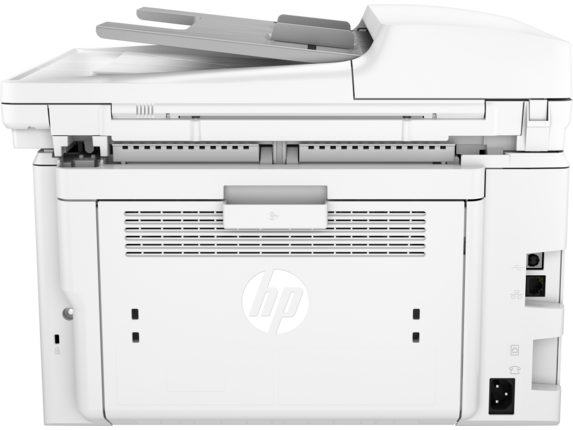
1 Hi-Speed USB 2.0; 1 Ethernet 10/100Base-TX; 1 WiFi 802.11n (dual band)
Windows® 10, 8.1, 8, 7: 32-bit or 64-bit, 2 GB available hard disk space, Internet connection, USB port, Internet Explorer. Windows Vista®: (32-bit only), 2 GB available hard disk space, Internet connection, USB port, Internet Explorer. Windows® XP SP3 or higher (32-bit only): any Intel® Pentium® II, Celeron® or 233 MHz compatible processor, 850 MB available hard disk space, Internet connection, USB port, Internet Explorer. Apple® macOS Sierra (v10.12), macOS High Sierra (v10.13); macOS 10.14 (Mojave); 2 GB Available Space; Internet access
Windows® 10, 8.1, 8, 7: 32-bit or 64-bit, 2 GB available hard disk space, Internet connection, USB port, Internet Explorer. Windows Vista®: (32-bit only), 2 GB available hard disk space, Internet connection, USB port, Internet Explorer; Windows® XP SP3 or higher (32-bit only): any Intel® Pentium® II, Celeron® or 233 MHz compatible processor, 850 MB available hard disk space, Internet connection, USB port, Internet Explorer; Apple® OS X El Capitan (v10.11), macOS Sierra (v10.12), macOS High Sierra (v10.13); macOS Mojave (v10.14), Linux (For more information, see https://hplipopensource.com/hplip-web/index.html); Unix (For more information, see https://www.hp.com/go/unixmodelscripts)
Not supporting Windows® XP (64-bit) and Windows Vista® (64-bit); Not all "Compatible Operating Systems" are supported with software; Full solution software available only for Windows 7 and newer; Legacy Windows Operation Systems (XP, Vista, and equivalent servers) get print drivers only; Windows Server OS install driver only by command line method; Windows RT OS for Tablets (32 & 64-bit) uses a simplified HP print driver built into the RT OS; Linux systems use in-OS HPLIP software
250-sheet input tray, 10-sheet priority tray
Paper (laser, plain, photo, rough, vellum), envelopes, labels, cardstock, postcards
JPG, RAW (BMP), PNG, TIFF, PDF
Up to 300 dpi (color and mono, ADF); Up to 600 dpi (color, flatbed); Up to 1200 dpi (mono, flatbed)
Scanning via HP LaserJet Software Scan or TWAIN-compliant or WIA-compliant software
Black: Up to 28 cpm Color: [16]
110-volt input voltage: 110 to 127 VAC (+/- 10%), 60 Hz/50 Hz, 5.9A; 220-volt input voltage: 220 to 240 VAC (+/- 10%), 60 Hz/50 Hz, 3.3 A
475 watts (active printing), 4.5 watts (ready), 1.0 watts (sleep), 0.1 watts (Auto Off/Wake on USB, enabled at shipment), 0.05 watts (Auto-off/Manual-on), 0.05 watts (Manual Off) [4]
ENERGY STAR® qualified; EPEAT® Silver
Yes, Blue Angel DE-UZ 205—only ensured when using Original HP supplies
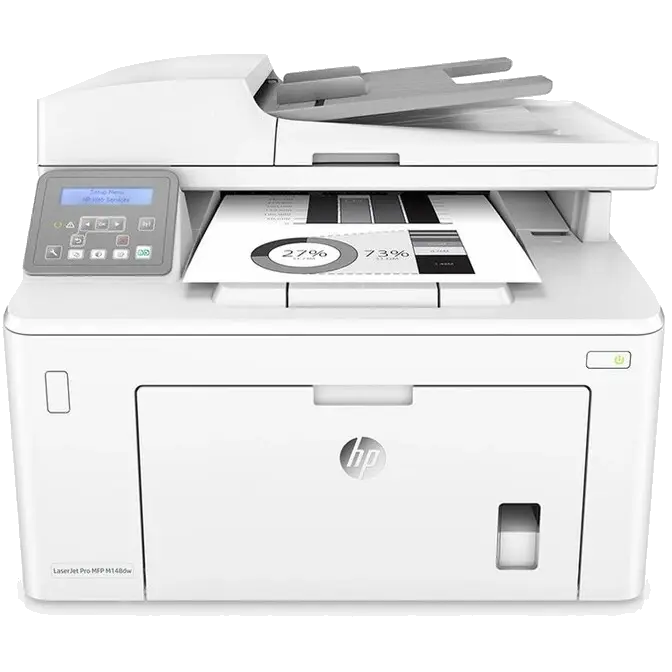
HP LaserJet Pro MFP M148dw: HP Black LaserJet Toner Cartridge ~1000 pages; HP LaserJet Imaging Drum ~23,000 pages; Power cord; USB cable; Getting started guide; Set up poster; Support flyer; Warranty documents ( AU); Regulatory flyer; Errata, declaration (some countries) [2]
For Windows OS: HP Software Installer; HP Software Uninstaller (exclude Win8+); HP PCL6 Printer Driver, HP Scan Driver, HP Scan Application, HP Device Experience (DXP), HP Web Services Assist (HP Connected), Device Setup & Software, HP Printer Assistant; HP Product Improvement Study; Online user manuals; For Mac OS: Directs users to download Software
One year limited warranty