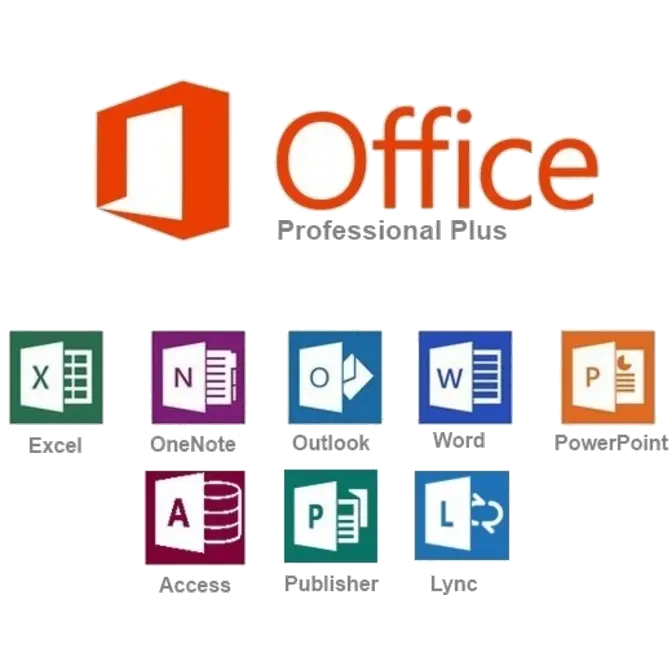


Microsoft Office Professional Edition is the ultimate software package that provides the most important applications for today's businesses. These applications are integrated so that all the toolbars are alike, the command and function keys are identical and you can perform tasks from one program to another. Office Professional integrates with other Microsoft applications on your desktop using the same common functionality. Now it is easier to do your work because once you know one application you know them all.
Edit photos in your documents without leaving Word, Publisher, or PowerPoint
Enhance the visual impact of your Word and Publisher documents or PowerPoint presentations with easy-to-use picture editing tools that let you crop, control brightness and contrast, sharpen or soften and add artistic visual effects.
Analyze finances at home and work with Excel
Use Sparklines in Excel to create mini-charts that make it easy to highlight trends in expenses at a glance. Use Slicers to dynamically segment and filter PivotTable data to display precisely what you need, and let the improved Conditional Formatting highlight specific items in your data set with just a few clicks.
Access, edit, and share from virtually anywhere with Office Web Apps
Get things done when you're away from the office, home, or school. Create documents in Office desktop applications, then post them online to access, view, and edit with Office Web Apps from virtually anywhere you have Internet access.
Create dynamic marketing materials with improved photo tools in Publisher
Get professional results in Publisher with photo tools that let you insert or replace photos easily while preserving your look and layout. You can also preview formatting changes before applying them, add photo captions from a library of layouts, and choose from editing options such as changing the shape of photos, pan, zoom, crop, color, and brightness.
Build a top-notch database quickly with Access
Start with prebuilt Access templates or select from community-submitted templates and customize them according to the needs of your project to make collecting information and creating reports easier than ever. Use professional-looking data bar charts created with Conditional Formatting to communicate your analysis clearly and easily.
Organize customer information efficiently in OneNote
Create a digital notebook in OneNote to capture and organize all your important customer information – text, images, video, and audio from documents, Web pages and e-mail messages – in a single, easy-to-access location.
Track and manage e-mail conversations easily in Outlook
Save time and take control of your e-mail with Conversation View in Outlook. This feature lets you condense, categorize, and even ignore lengthy e-mail exchanges with a single click, so you can manage large amounts of e-mail with ease.
Present from virtually anywhere with PowerPoint
Broadcast your PowerPoint presentation instantly through a Web browser to a remote audience, even if audience members don't have PowerPoint – with Broadcast Slide Show.
Any user that requires any Microsoft Office on the terminal server will need to purchase an open volume license of some kind;
Microsoft Open Business licenses are an outright perpetual license that does not expire. Although more expensive than retail boxed licenses, they are the lowest cost option that includes the necessary rights for use on a terminal server. This is the most popular license for Microsoft Office in small organisations.
Microsoft Software Assurance licenses include all the rights granted under the Open Business license. A Microsoft Software Assurance agreement lasts for two years from the date of purchase, after which it reverts to an Open Business license, so you can keep using the software if you allow the agreement to lapse. While the Software Assurance agreement is active, you are entitled to a “free” upgrade to new any version released. Microsoft also offer excellent support, and a home use program for organisations licensed under SA.
Microsoft Open Value Subscription licenses include all the rights granted under Software Assurance, but are not a perpetual license, rather a three year subscription paid annually – and the first year is discounted to half price. OVS licenses are also company-wide, meaning that all general systems in the organisation are counted in the subscription costing.
Open Value Subscription licenses are popular in growing business because additional systems can have Microsoft Office installed throughout the year without additional cost. At each anniversary date, the total number of company computers is reported by the business, and the corresponding annual license paid for the number of systems reported. In the case where the numbers of systems is reduced, the business will pay a reduced subscription cost at the next anniversary date.
Finally, it should also be noted that open business licenses are licensed for use on the terminal server and also concurrent use on the local computer. This is particularly important for laptop users who may not always be connected to the network. Licenses with Software Assurance also include free upgrades and home use during the software assurance period.
Includes:
 |
Word
|
 |
Excel
|
 |
PowerPoint
|
 |
OneNote
|
 |
Outlook
|
 |
Publisher
|
 |
Access
|
| Lync Microsoft Lync ushers in a new connected user experience transforming every communication into an interaction that is more collaborative engaging, and accessible from anywhere. For IT, the benefits are equally powerful, with a highly secure and reliable system that works with existing tools and systems for easier management, lower cost of ownership, smoother deployment and migration, and greater choice and flexibility. |