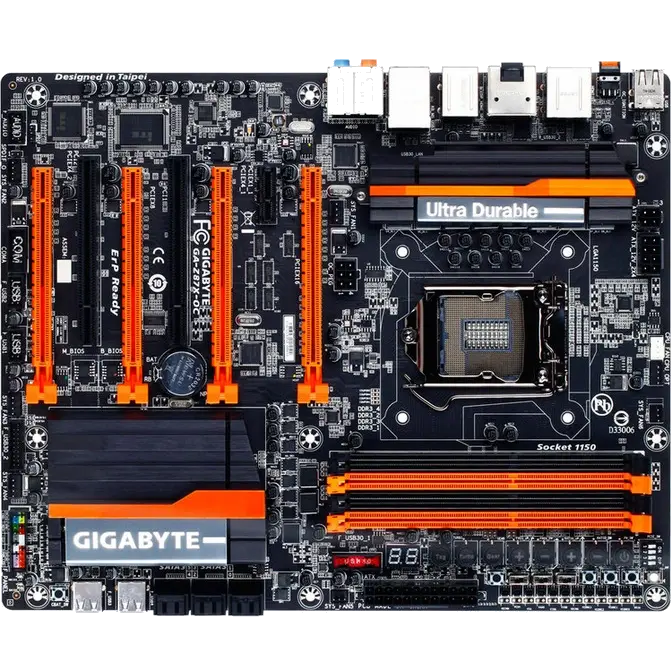
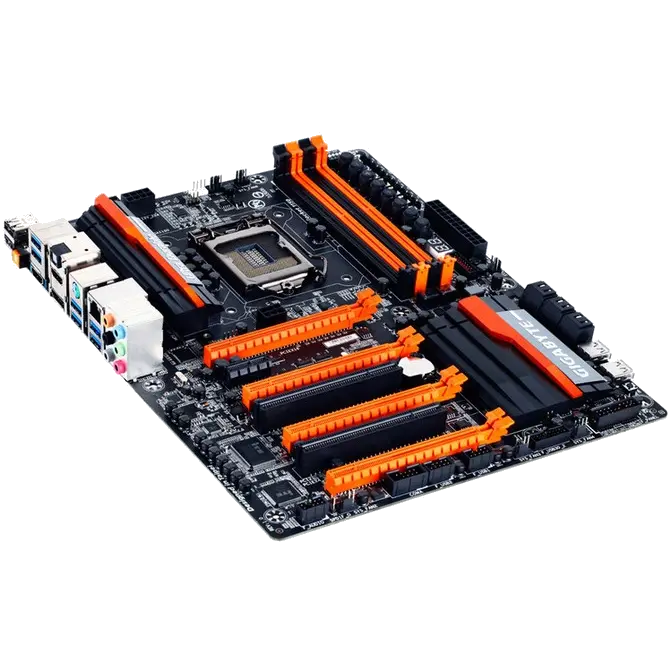
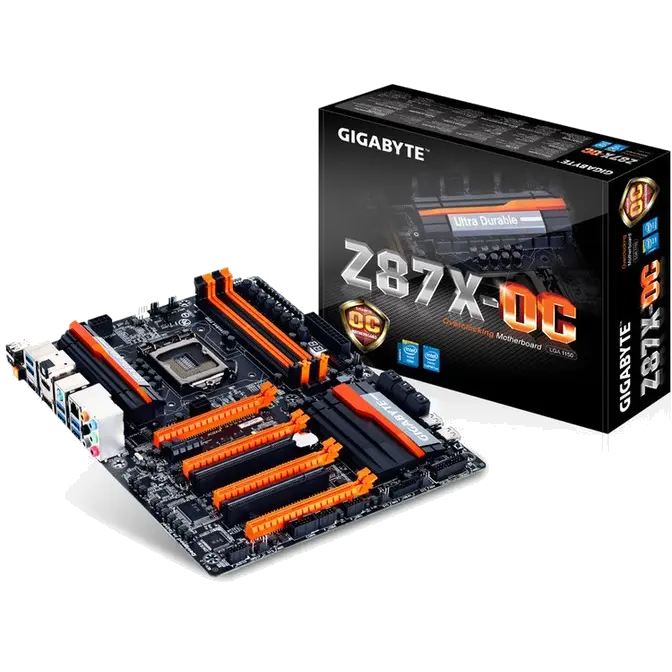


GIGABYTE 8 Series Overclocking Motherboards: Clock Higher

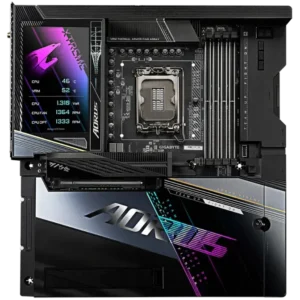
GIGABYTE 8 series motherboards debut a number of exclusive new and improved features that are designed specifically to help enthusiasts and overclockers not only get the most performance from their hardware, but also the absolute most enjoyable OC experience.

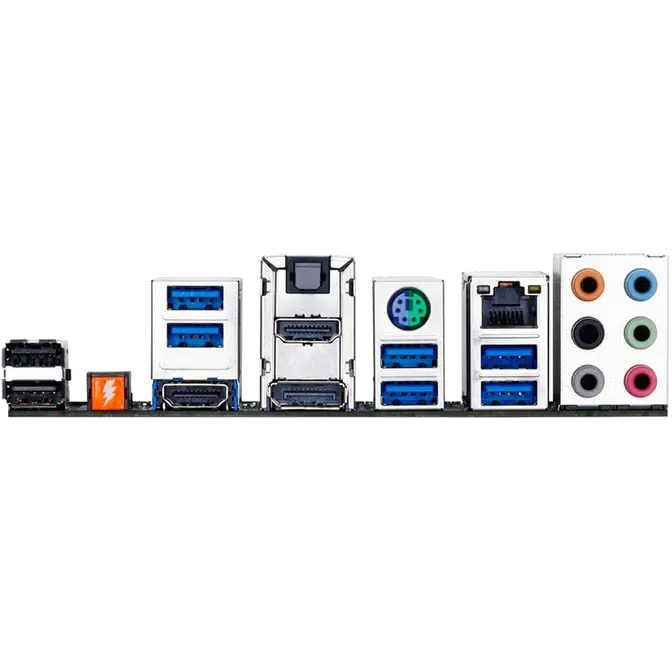
GIGABYTE Z87X-OC
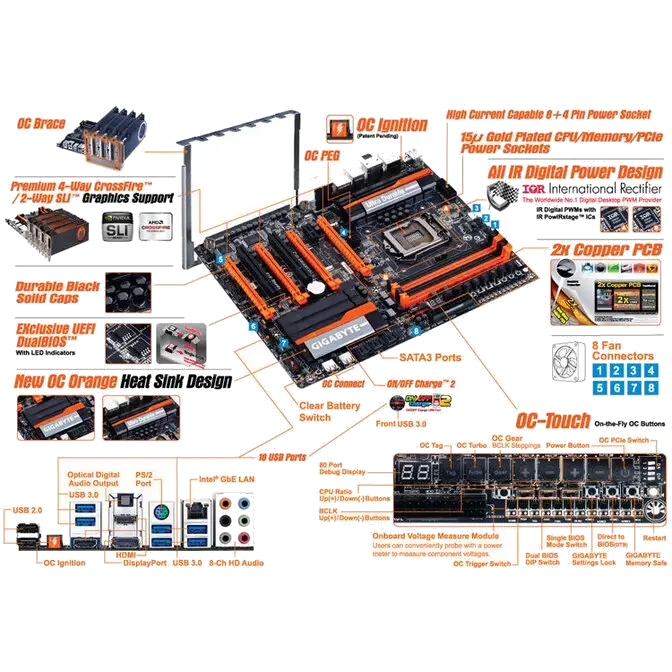
OC Ignition (Patent Pending)

| There are occasions as an overclocker when you want to shut down the system without turning off the power to other parts of the system, for example the drives and system fans. This is where OC Ignition is really useful. |
 |
| Hitting the OC Ignition button gives continuous, uninterrupted power to all the motherboard's connected drives and system fans, but not to the CPU. This is useful in 'cold bug' situations when you need to heat the CPU to a bootable temperature, but you'd prefer the fans to keep spinning, reducing moisture build-up.
Overclockers using i-ram drives may also want to maintain SATA power and not risk losing their customized OS install while users with regular SSDs or HDDs also know that frequent powering on and off is harmful to your drives in the long-term. OC Ignition is also useful in allowing users to pre-test water cooling setups, and even allows case mod demos to be developed without having to fully turn on the PC. OC Ignition: Feature Summary |
|
OC PCIe Switch

OC PEG

OC Brace

| OC Brace allows extreme overclockers and system testers to safely install up to four graphics cards in an open case or test bed without risking PCIe slot damage or preventing cards not showing up in the OS due to poor contact with the PCIe slot. OC Brace is a simple and elegant way to give robust installation support to full sized graphics cards in extreme multi-GPU configurations, including LN2 benching with cumbersome GPU pots that a need stable, solid installation base over extended periods. |
 |
OC Connect

Extreme Multi-GPU Support

| GIGABYTE Z87X-OC Premium Graphics Support – Z87X-OC: Optimized support for AMD CrossFire™ in 4 way configurations plus support for NVIDIA SLI technology in 2-way setups. This extreme design allows a more optimized multiple-card overclocking experience where the first 3 slots have the data bandwidth available from trace paths direct from the CPU and the fourth slot taking PCIe lanes from the Intel® Z87 PCH. |
 |
GIGABYTE OPT Fan Support

GIGABYTE Exclusive Ultra Durable Technologies

| Durable Black Solid Caps GIGABYTE 8 Series motherboards integrate the absolute best quality solid state capacitors that are rated to perform at maximum efficiency for extended periods, even in extreme performance configurations. This provides peace of mind for end users who want to push their system hard, yet demand absolute reliability and stability. With ultra-low ESR no matter how high the CPU loading, these exclusive capacitors also come in customized jet black, exclusively on GIGABYTE 8 series motherboards. "Rated for an unprecedented 10,000 hours of intensive operation at an incredible 105°C" – Nippon Chemi-Con |
 |
Gold Plated Solid Power Connectors

GIGABYTE Overclocking motherboards feature gold plated connectors for the CPU and 24-pin ATX power connectors. Gold provides superior conductivity and signal transmission than standard implementations, also providing far better reliability and stability over time by resistance to metal corrosion caused by frequent use overtime.
Gold Plated CPU Socket, DDR and PCI Express Slots

| GIGABYTE 8 series motherboards come equipped with gold plated hardware for the most crucial areas where your motherboard has contact with other components; gold plated CPU socket, gold DDR3 slots and PCI Express slots. Using gold plated CPU socket and slots means that enthusiasts are guaranteed absolute reliability and longevity for the CPU, memory and graphics cards, no matter how many times you switch them out. |
 |
New GIGABYTE UEFI DualBIOS™ with Dashboard Mode
 |
GIGABYTE's new UEFI DualBIOS™ has a redesigned user interface that offers users the chance to take control of their BIOS environment like never before. Dashboard Mode: GIGABYTE's exclusive Dashboard Mode puts your firmly in the driving seat, allowing users to have complete access to all data related to your motherboard's key components including CPU, graphics and memory clocks, temperatures, voltages and fan speeds. Fully Customizable UI: Users can create their own custom home page, adding the menus and options that they tend to use most frequently. This creates a slick and optimized interface that can customize further by adding your own custom background image. Choose Your Own Landing Page: Choose exactly which section or page of the BIOS you want to land on after each reboot. If you are fine tuning your memory timings, you can save time with each reboot by landing on the DDR sub-timings page each time. Fewer clicks, better experience. Real-time Overclocking: For the first time ever, overclockers can adjust CPU clock, frequency and voltage settings in real-time within BIOS. This massively saves time, allowing users to find optimal settings without having to reboot. |
GIGABYTE EasyTune