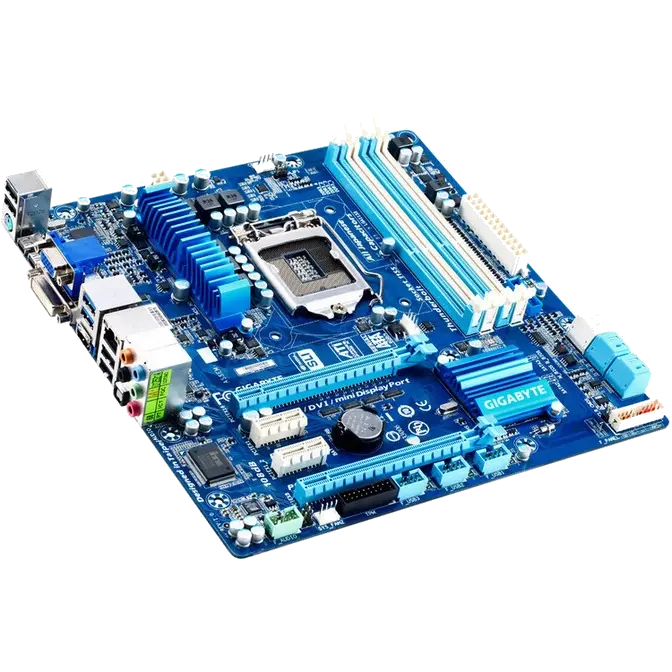
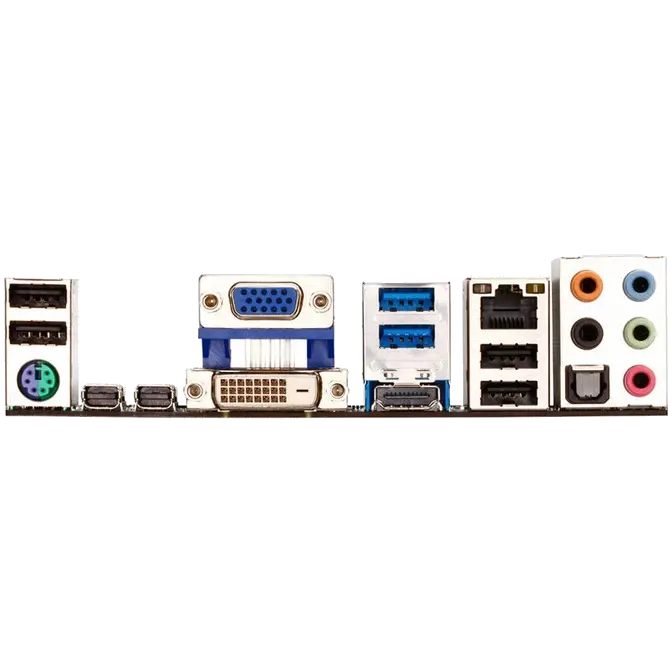


 GIGABYTE motherboards, the very first to offer fully certified dual onboard Thunderbolt™ ports. Capable of connecting up to 12 devices plus 3 digital displays simultaneously, with breathtaking data transfer speeds that can transfer 1TB of data in only five minutes, GIGABYTE Thunderbolt™ motherboards offer the fastest connection interface ever on the desktop PC.
Daisy Chain Technology – Up to 12 devices + 2 Display monitors
 |
|
Compatibility may vary according to system configuration and device specifications.
Requirement of 3 monitors output : Thunderbolt or display monitors plus 1 RGB or HDMI monitor. |
GIGABYTE Thunderbolt™ motherboards allow users to daisy chain up to 12 devices simultaneously via an incredible bi-directional 10Gbps data pipeline that includes both PCIe and DisplayPort traffic. GIGABYTE Thunderbolt™ motherboards redefine desktop PC connectivity to make it far easier to connect multiple high speed storage devices and HD displays to your PC than ever before.
 |
|
Performance may vary according to system configuration and device specifications.
|
Dual Thunderbolt™ – Fast, Flexible and Simple Connectivity for your Motherboard
GIGABYTE Thunderbolt™ motherboards are the first to be certified by Intel featuring dual Thunderbolt™ ports directly on the motherboard back panel I/O, with each Thunderbolt™ port supporting a maximum data transfer speeds with simultaneous bi-directional data transfer at speeds of up to 10Gbps – this means you can transfer a full HD 1080p movie in under 30 seconds.

Utilizing an Digital controller array, GIGABYTE's 3D Power features precise Auto Voltage Compensation to deliver a steady flow of power to the system, no matter the loading. With digital controllers for the CPU (Vcore), users can make real-time adjustments with the exclusive GIGABYTE 3D Power Utility, that include settings such as OVP (Over Voltage Protection), Load-line Calibration and on-the-fly PWM frequency adjustment.
 The revolutionary GIGABYTE 3D BIOS application is based on GIGABYTE UEFI DualBIOS™ technology and is available to consumers in two exclusive modes of interaction, providing enthusiast and mainstream users with a choice of unique and powerful graphical interfaces.
UEFI DualBIOS™ Technology
 At the heart of this exciting 3D BIOS technology is a pair of physical BIOS ROMs containing GIGABYTE's exclusive in-house designed UEFI BIOS technology. With a superior graphical interface capable of 32-bit color imaging and fluid user-friendly mouse navigation, UEFI DualBIOS™ makes BIOS configuration a new and exciting experience for novice and experienced users alike. UEFI BIOS also brings native support for large hard drives on 64-bit operating systems.
3D Mode
 Designed to provide an extremely streamlined and user-friendly BIOS environment, GIGABYTE's exclusive 3D mode offers a fully interactive and illustrative GUI that allows users to easily and intuitively make key adjustments to the UEFI BIOS settings for optimum performance. 3D Mode allows novice or casual users to more clearly understand the areas of the motherboard that are being affected through the BIOS settings, gaining a clearer understanding of the BIOS functionality.
Advanced Mode
 Advanced mode provides a more comprehensive UEFI BIOS environment that is designed specifically for overclockers and power users who want maximum control over their PC's hardware. GIGABTYE's signature M.I.T. tuning technology can be found alongside fully configurable parameters for GIGABTE's all new digital 3D Power engine. In short, advanced mode combines the signature GIGABYTE BIOS expertise you've come to expect, wrapped a slick, new and optimized graphical UEFI interface.

 |
Humidity Protection Humidity can play havoc on a motherboard's circuitry.GIGABYTE's new Glass Fabric PCB design helps protect against electrical shorts due to humidity by reducing the gaps in spacing between PCB filaments. |
 |
Electrostatic Protection GIGABYTE Ultra Durable 4 Classic motherboards feature High ESD Resistance ICs which help protect the motherboard against electrostatic discharge. |
 |
Power Failure Protection Permanent damage from power surge or failure during BIOS update, can be avoided with GIGABYTE DualBIOS, which automatically enables a secondary, back up BIOS. GIGABYTE also uses Anti-Surge ICs to protect the motherboard against power surges.  |
 |
High Temperature Protection GIGABYTE uses All Solid Caps (Capacitors) and Low RDS(on) MOSFETs which are rated to work at higher temperatures, providing up to 50,000* hour component lifespan. |



 GIGABYTE 7 series motherboards take advantage of the latest connectivity and expansion bus technologies available on the Intel platform. The 3rd generation Intel® Core™ processor platform debuts the new PCI Express gen. 3.0 expansion bus, allowing users to take advantage of the next generation, high-bandwidth discrete graphics card solutions.
* PCIE Gen.3 is dependent on CPU and expansion card compatibility.
 Intel® Rapid Start Technology™ gets your device up and running faster from even the deepest sleep. This means users will be able to experience almost zero power draw from their PC, but be able to resume Windows® 7 is a few seconds without having the PC go through a full system boot. With Intel® Rapid Start Technology the previous session resumes to the exact as it was, so that applications are still in the same state and no application data is lost.

Auto Sync with Cloud
No manual interaction required to synchronize with cloud services.
Data Ready
Email, social media, and cloud apps always updated and available at power on.

GIGABYTE 7 series motherboards support Lucid Virtu GPU virtualization technologies – optimized virtualization software that improves your PC's visuals, with faster response times, improved video processing and smoother media playback, all within a low power environment.
Lucid Universal MVP also features Hyperformance, which eliminates redundant rendering tasks and predicts potential synchronization issues in the graphics delivery pipeline, producing faster frame rates, sharper visuals and reduced tearing.
|
Free Upgrade for your Graphics
 Test equip : 3rd generation Intel Core processor 3.2G/GA-Z77X-UD3H/DDR3 1333/Win7 64Bit. Prices are for reference only. Individual prices may vary by region. |
 |
Switchable Graphics
Allows users to dynamically switch between built-in graphics and high-end, 3D discrete graphics cards.

The GIGABYTE EZ Smart Response utility is a simple application that allows users to quickly and easily configure their system for Intel® Smart Response Technology. In the past, enabling Intel® Smart Response meant users needed to enter the BIOS in order to configure their system for RAID mode, which then required a complete reinstall of the operating system. Once that processes was complete, users then needed to install the Intel® Rapid Storage Utility as well as configure Intel's Smart Response Technology. GIGABYTE EZ Smart Response does all of this automatically, without users having to perform a complicated install process. This allows them to quickly and effortlessly enjoy a significant boost in system performance.
 GIGABYTE EZ Setup is an exclusive application that allows GIGABYTE 7 series users to more easily configure and setup three important Intel Technologies on their new system; Intel® Smart Response, Intel® Rapid Start and Intel® Smart Connect. GIGABYTE EZ Setup makes it far easier to enjoy these technologies by greatly reducing the number of steps involved to install setup and configure your system.
* EZ Setup utility is available for download from the official GIGABYTE website.

GIGABYTE 7 series motherboards feature GIGABYTE 333 Onboard Acceleration , a range of the latest technologies that are designed help speed up data transfer, including SuperSpeed USB 3.0 technology, SATA Revision 3.0 (6Gbps) technology and an unprecedented 3x USB power boost on all USB ports for more power hungry USB devices.

* Due to certain mobile phone limitations, users may need to connect the mobile phone to their PC before the PC enters S4/S5 mode to enable a quick charge from non ON/OFF Charge USB ports.
Charging results may vary by model.
Saves your valuable time when create and edit video, synchronize it with other devices, and share it–at home and on the internet. Intel Quick Sync Video uses hardware on the processor, instead of software, to accelerate video encoding.

Microsoft DirectX 11 provides eye-popping 3D visuals found for today's latest PC games and is designed to be more efficient, leverage the power of today's multi-core processors, and provide support for sophisticated shading and texturing techniques such as tessellation.