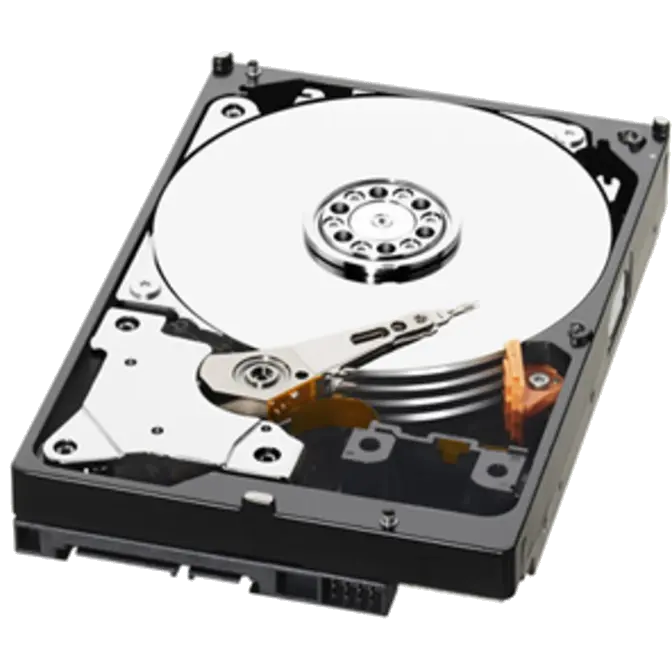
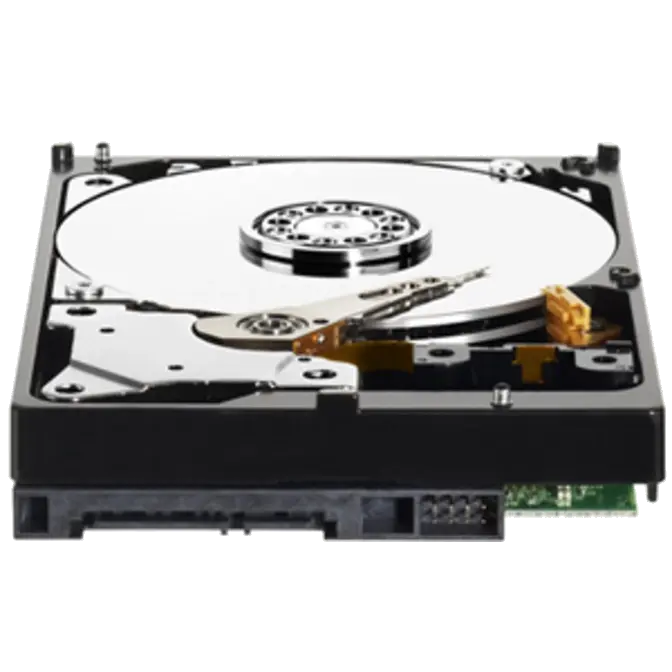



Specifications
| Performance Specifications | ||
 |
Rotational Speed | IntelliPower * |
| |
Buffer Size | 64 MB |
| |
||
| Transfer Rates | ||
| |
Buffer To Host (Serial ATA) | 3 Gb/s (Max) |
| |
||
| Physical Specifications | ||
| |
Formatted Capacity | 3,000,592 MB |
| |
Capacity | 3 TB |
| |
Interface | SATA 3 Gb/s |
| |
User Sectors Per Drive | 3,907,029,168 |
| |
||
| Physical Dimensions | ||
| English | ||
| |
Height | 1.028 Inches |
| |
Depth | 5.787 Inches |
| |
Width | 4.00 Inches |
| |
Weight | 1.61 Pounds |
| |
||
| Metric | ||
| |
Height | 26.1 mm |
| |
Depth | 147 mm |
| |
Width | 101.6 mm |
| |
Weight | 0.73 kg |
| |
||
| Environmental Specifications | ||
| Shock | ||
| |
Operating Shock (Read) | 65G, 2 ms |
| |
Non-operating Shock | 250G, 2 ms |
| |
||
| Acoustics | ||
| |
Idle Mode | 24 dBA (average) |
| |
Seek Mode 0 | 29 dBA (average) |
| |
Seek Mode 3 | 25 dBA (average) |
| |
||
| Temperature (English) | ||
| |
Operating | 32° F to 140° F |
| |
Non-operating | -40° F to 158° F |
| |
||
| Temperature (Metric) | ||
| |
Operating | -0° C to 60° C |
| |
Non-operating | -40° C to 70° C |
| |
||
| Electrical Specifications | ||
| Current Requirements | ||
| |
12 VDC | |
| |
Read/Write |
296 mA |
| |
Idle |
243 mA |
| |
Standby |
3 mA |
| |
Sleep |
3 mA |
| |
||
| |
5 VDC | |
| |
Read/Write |
503 mA |
| |
Idle |
172 mA |
| |
Standby |
160 mA |
| |
Sleep |
160 mA |
| |
||
| |
Power Dissipation | |
| |
Read/Write |
6.00 Watts |
| |
Idle |
5.50 Watts |
| |
Standby |
0.80 Watts |
| |
Sleep |
0.80 Watts |
Advanced Format Hard Drive Download Utility
About Western Digital Advanced Format Hard Drives
WD Advanced Format drives are specifically optimized for Mac and the latest Windows operating systems such as Windows Vista and Windows 7 with a clean install. Advanced Format Technology is being adopted by WD and other drive manufacturers to increase media format efficiency, thus enabling larger drive capacities.
Using your WD Advanced Format Hard Drive with a Windows Operating System may require you to run the WD Align Windows software utility after you install your operating system or partition and format the drive as a secondary drive. The WD Align software aligns existing partitions on the Advanced Format drive to ensure it provides full performance for certain configurations. (Please see table for configuration details)
If your operating system is either Windows 7 or Vista, WD recommends using the latest Intel driver version 9.6 or later for maximum performance in all situations. Please visit Intel for the latest driver downloads.
|
|
|
|
What does Advanced Formatting mean to me? Advanced formatting optimizes hard drives to take advantage of the capabilities of newer operating systems. This capability enables hard disk drive manufacturers the ability to design larger capacity hard drives, now and into the future. What are the benefits of Advanced Formatting? Advanced Formatting enables hard drive companies to read and write more data into the same available space on the hard drive. Can I install an Advanced Format hard drive in my system? New drives from WD are optimized for operation with Windows 7, Windows Vista and Mac OS X Tiger, Leopard, Snow Leopard. If you are attempting a clean install of an Advanced Format hard drive into a system running one of the Operating Systems listed above the installation process follows standard procedure. For older operating systems such as Windows XP, and for users using cloning software, users must run the WD Align utility to achieve the full performance of the drive. (See table for configuration details) Early 3.5-inch WD drives with Advanced Format supported jumper pins 7 – 8. Placing a jumper on these pins adjusted the drive’s internal alignment for single partition XP installations. Support for this jumper setting is no longer needed on newer drives. For optimal performance on all XP installations WD recommends running the WD Align utility. If you have a drive that supports jumper pins 7 – 8 and have a jumper in place on those pins, the following is additional information to assist you if you are re-installing an Operating System or re-partitioning the drive:
For a clean install of Windows XP using multiple partitions, DO NOT install the jumper; simply run the WD Align utility. Can I install a WD Advanced Format Drive under non-Windows Operating Systems, such as MacOS and Linux? WD Advanced Format Drives can be used under non-Windows Operating Systems. Please visit the Advanced Format Drives – Installation on non-Windows Operating Systems page. Do I need a special driver to install a WD Advanced Format Drive on an Intel chipset?
If your operating system is either Windows 7 or Vista, we recommend the following for maximum performance in all situations:
What is WD Align utility software? The WD Align utility enables older operating systems to operate at full performance on Advanced Format hard drives. How long will running the WD Align utility take? It will vary based on your operating system and how much data is on the disk, but the WD Align utility should take about 20 minutes to complete on freshly installed drive images with no data files. We recommend disabling Power Management prior to starting the partitioning alignment process. Please click here for further instructions. Does the WD Align utility have to be run again if a drive is reformatted? No, users will only need to run WD Align one time after initially installing Windows XP. Once Windows XP has been aligned, it will stay aligned even if the drive is reformatted or many files are added or removed. What models utilize Advanced Format technology? Some models of the WD Caviar Green and WD Scorpio Blue product families are built using Advanced Format technology. Over time more models and capacities will be added. WD drives with Advanced Format technology include special installation information on the drive label so be sure to read the label on your drive before installing it. Does WD Align work with Western Digital USB and Firewire drives, such as My Office and My Passport drives? If you do not change the partitions on a Western Digital USB or Firewire drive, the drive is already optimally aligned. However, all Western Digital USB and Firewire drives are specifically designed to work with WD Align. If you repartition a Western Digital USB or Firewire drive, WD Align should be run to optimally align the partition or partitions. Can I install my Advanced Format Drive into a USB enclosure? Yes, you may install your Advanced Format Drive into a USB enclosure. Please click here for further installation instructions. |
|