


GIGABYTE 8 Series Motherboards

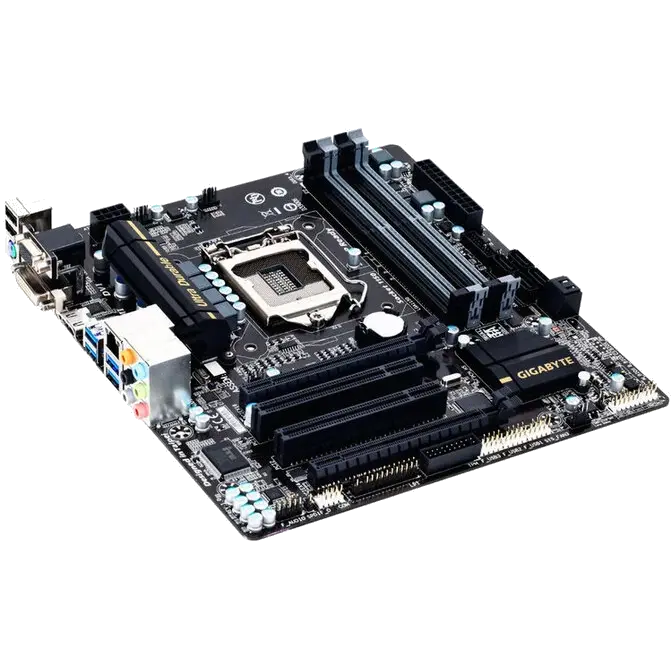
Next Gen Intel® 8 Series Platform
The latest Intel 8 Series platform offers significant improvements in performance and power consumption with the latest 4th generation Intel® Core™ processors and Intel® H87 chipsets. As well as a boost in overall productivity, the latest HD4600 Intel® processor graphics provide native 4K resolution playback over standard HDMI connectivity, with significantly higher frame rates in the latest DX11 3D game titles.

GIGABYTE Ultra Durable™ 4 Plus

GIGABYTE Ultra Durable™ 4 Plus debuts on GIGABYTE 8 Series motherboards, with a range of features and component choices that provide record-breaking performance, cool and efficient operation and extended motherboard lifespan.
Ultra Cool
 |
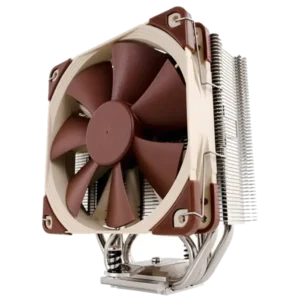
All New Heat Sink Design GIGABYTE motherboards feature new heatsink designs that offer uncompromisingly efficient cooling on key areas of the motherboard including the PWM area and chipset (PCH). GIGABYTE 8 Series motherboards offer both passive, active and water cooling support of the crucial PWM area so even the most aggressive and extreme configurations will be kept well within optimal thermal parameters. |
||||||
Ultra Performance
 |
GIGABYTE uses All Solid Caps (Capacitors) and Low RDS(on) MOSFETs which are rated to work at higher temperatures, providing up to 50,000* hour component lifespan.
|
||||||

Ultra Safe
 |
GIGABYTE UEFI DualBIOS™ GIGABYTE motherboards feature GIGABYTE DualBIOS™, an exclusive technology from GIGABYTE that protects arguably one of your PC's most crucial components, the BIOS. GIGABYTE DualBIOS™ means that your motherboard has both a 'Main BIOS' and a 'Backup BIOS', making users protected from BIOS failure due to virus attack, hardware malfunction, improper OC settings or power failure during the update process. |
||||||
Intel® Small Business Advantage

GIGABYTE motherboards possess a range of features that are designed to offer vastly improved and simplified control over unmanaged IT infrastructure, with specific focus on security, data backup and raising productivity levels overall.
|
SECURITY
|
PRODUCTIVITY
|
|||
 |
SOFTWARE MONITOR Monitor critical software below the OS |
 |
PC HEALTH CENTER Run after hours— even if PC is off |
|
 |
DATA BACKUP & RESTORE Run after hours—even if PC is off |
 |
ENERGY SAVER Automatically power on each morning |
|
 |
USB BLOCKER Block unwanted USB device classes |
 |
Intel® WIRELESS DISPLAY Share and collaborate, wirelessly (with Intel Wi-Fi module only)* |
|
*GIGABYTE motherboards can support Intel® Wireless display only when combined with an appropriate Intel Wi-Fi module.
High ESD Protection for USB and LAN

GIGABYTE 8 Series motherboards raise the bar in terms of protecting your system, providing advanced electrostatic discharge (ESD) protection for both your Ethernet LAN and USB ports, both common sources of ESD-related failures. Each LAN and USB port is paired with a dedicated protection filter that can withstand high electrostatic discharges, protecting your system from common electrical surges and even direct lighting strikes.
Gold Plated CPU Socket

| GIGABYTE 8 Series motherboards come equipped with a gold plated CPU socket, which means that enthusiasts can enjoy absolute reliability and longevity for the CPU socket overtime, without having any concerns about corroded pins and bad contacts. |  |
One Fuse per USB Port

| On GIGABYTE 8 Series motherboards each USB port has its own dedicated power fuse that prevents unwanted USB port failure, helping to safe guard your important data during transfer | |
| GIGABYTE One Fuse per USB Port Design |
Traditional One Fuse Design for Multi-USB Ports |
 |
 |
LAN Optimizer – Intelligent optimization network management tool

On/Off Charge Technology

*Due to certain mobile phone limitations, users may need to connect the mobile phone to their PC before the PC enters S4/S5 mode to enable a quick charge from non On/Off Charge USB ports. Charging results may vary by model.
*Whether to support 3X USB power design, it may vary by models.

Multi-display support with AMD CrossFire™

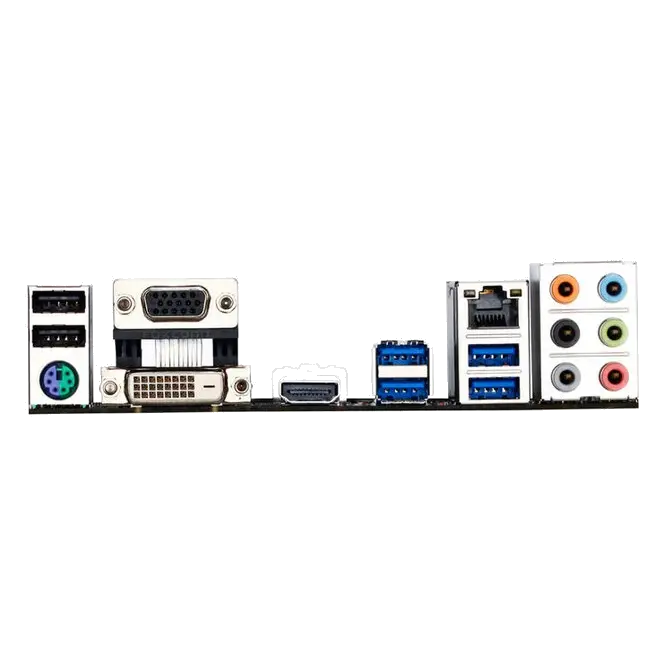
HDMI™-The Next Generation Multimedia Interface

DVI Support

GIGABYTE App Center

GIGABYTE EasyTune

| • Simple and easy-to-use interface that allows users to fine-tune their system settings • Adjust system and memory clocks and voltages in a Windows environment • System-related information display without the need to install additional software  |
| GIGABYTE Smart Fan 2 |
| As well as offering more system fans than ever before, GIGABYTE 8 Series motherboards feature updated and improved CPU and system fan speed controls, with individual airflow and speed settings available via a dedicated digital controller. GIGABYTE Smart Fan 2 allows you to configure CPU fans and system fans. |
 |
GIGABYTE @BIOS

| The new and updated GIGABYTE @BIOS app allows you to update your system's BIOS from within Windows using a simple and slick graphical user interface by automatically downloading the latest version from the GIGABYTE servers. |
 |
GIGABYTE EZ Setup


* Advertised performance is based on maximum theoretical interface values from respective Chipset vendors or organization who defined the interface specification. Actual performance may vary by system configuration.
* All trademarks and logos are the properties of their respective holders.
* Due to standard PC architecture, a certain amount of memory is reserved for system usage and therefore the actual memory size is less than the stated amount.