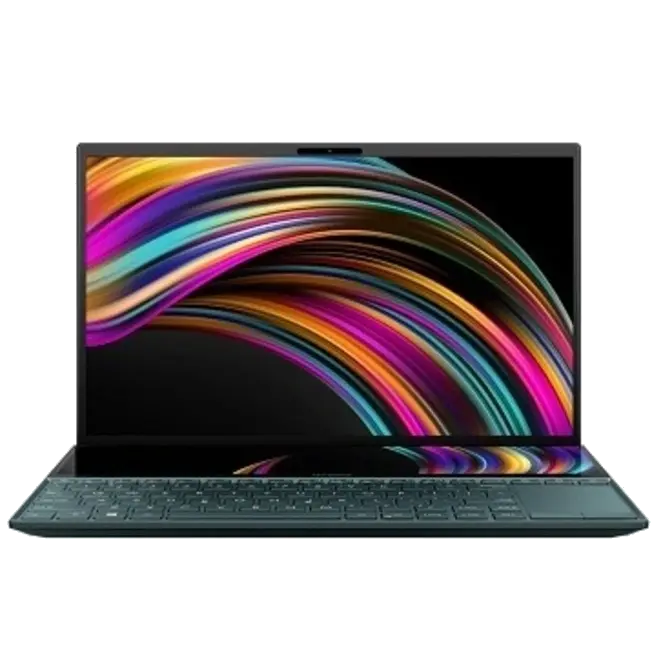
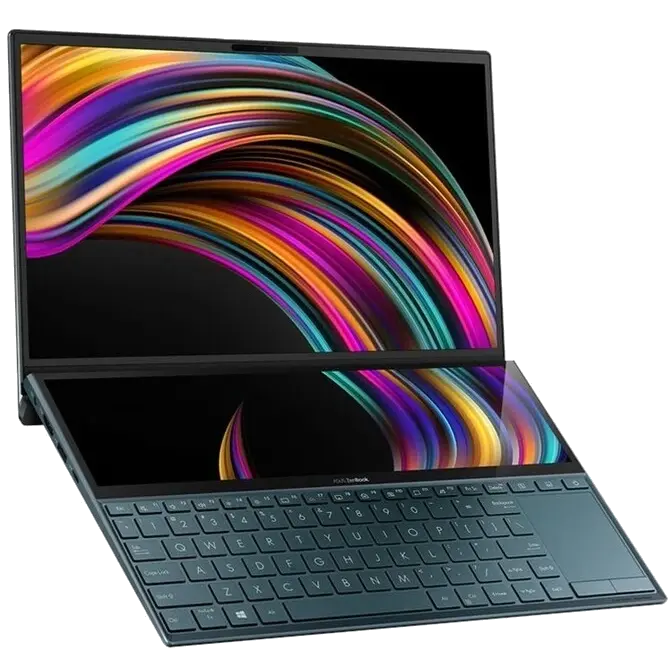


Take your creativity and productivity to the next level with the groundbreaking ASUS ZenBook Duo! Designed to give you the ultimate edge in workflow efficiency, the unique design features a full-width ASUS ScreenPad™ Plus that works seamlessly with the main display. It’s never been this easy to harness your full creative power.

Design
Reflect your style
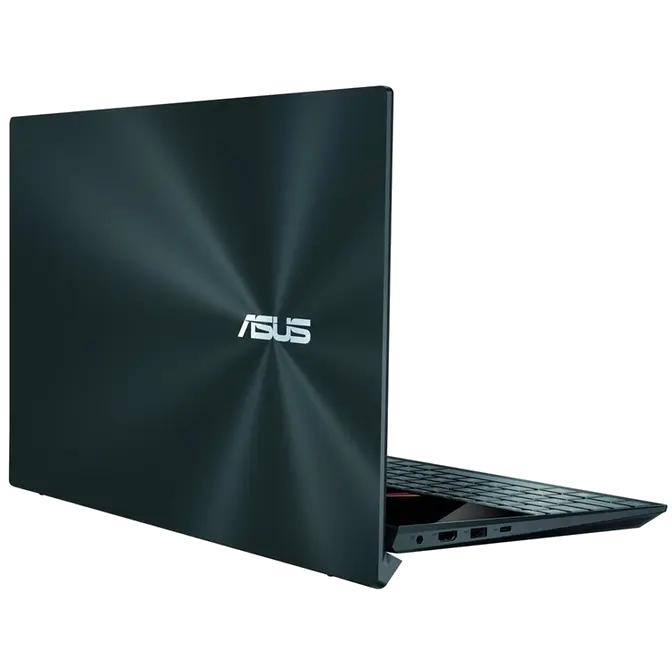
The brand new Celestial Blue color draws its inspiration from the future, and gives ZenBook Duo a sophisticated air of timeless innovation. As befits such a revolutionary concept, it’s also decorated with a unique asymmetric version of the iconic Zen-inspired spun-metal finish: an intriguing design detail that gives ZenBook Duo a totally unmistakable identity. With the ErgoLift hinge providing a 5.5° keyboard tilt, ZenBook Duo not only gives you a more comfortable typing experience, but cooling and audio performance are also enhanced.
Experience ultimate productivity
ASUS ScreenPad Plus gives you on-the-go computing like you’ve never experienced before. It’s a full-width secondary touchscreen that works seamlessly with the main 14-inch FHD display, giving you endless ways to optimize and personalize your workflow. A series of handy built-in apps help boost your productivity. Quick Key allows one-tap automation of complex keyboard sequences, and Handwriting lets you input text intuitively. There are also useful quick controls such as App Switcher, ViewMax and Task Swap for intuitive interactions between the main display and ScreenPad Plus. Task Group lets you lock into work mode by opening multiple tasks with a single touch. And now you can drag apps or in-app toolbars onto ScreenPad Plus to give you more room to work on the main display, wherever you are.
ScreenPad™ Plus
Perfect for you
ScreenPad™ Plus
Perfect ergonomics, for stylus or keyboard
With ZenBook Duo and an active stylus you can really let your creativity flow. ScreenPad™ Plus gives you a superbly ergonomic and stable platform for writing or drawing. Take notes, sketch out your ideas, or do precision graphical editing in the most intuitive way ever.
ScreenPad™ Plus
Endless possibilities
ScreenPad™ Plus gives you effortless app multitasking, so ASUS works closely with third-party developers — including professional video-editing software developer Corel®, with more to come — to optimize ScreenPad Plus for the ultimate productivity. ScreenPad Plus is your gateway to endless possibilities.
* Software depicted is Corel® MultiCam and Spotify®
Performance
Creative power
To give you the ultimate performance to fire up your creativity, ZenBook Duo is powered by up to an Intel® Core™ i7 processor, NVIDIA® GeForce® MX250 graphics and blisteringly fast SSD storage.
Powerful computing
ZenBook Duo is equipped with a powerful Intel processor. With its multi-cores, ZenBook Duo can easily handle all the apps on your main screen and ScreenPad™ Plus, for a super-fluid cross-screen workflow.
GPU
Creating on the go
The NVIDIA® GeForce® MX250 discrete graphics chip in ZenBook Duo supercharges your laptop for work or play. It gives you up to 3.5X-faster performance than an integrated graphics chip for photo and video-editing applications, as well as faster, smoother gaming. With the ultraportable ZenBook Duo you have the ultimate power for on-the-go content creation at your fingertips.
Display
90% screen-to-body ratio
The FHD NanoEdge display on ZenBook Duo has a four-sided frameless design to upgrade your viewing experience, giving you more screen, and less distraction!