
Tt eSPORTS PLUS+ PC Software Support
Tt eSPORTS Plus+ is a software made for the Tt eSPORTS SMART SERIES that offers a user-friendly UI to record and display gaming performance. It records gamers’ performance statistics to the Tt eSPORTS PLUS+ application, breaking them down by distance, clicks, actions per minute, and lift-off. In addition, the Tt eSPORTS PLUS+ COMMUNITY & Data Management Platform further analyzes your stats, compares your usage with pro players and enables you to challenge your friends to mouse usage competitions. The Tt eSPORTS PLUS+ application is currently available for download on PC device.

ARM BASED
32 BIT
MICROCONTROLLER
Powered by an ARM 32 bit microcontroller with 32KB flash memory, the VENTUS R provides lightning-fast processing power and speed to handle the most demanding of calculations, without compromising valuable computer resources.
POWERFUL PIXART PMW-3310 OPTICAL SENSOR UP TO
5000 DPI
The VENTUS R optical gaming mouse offers up to 5000 DPI and can be fine-tuned in increments of 100 DPI allowing you to move with precision and pinpoint accuracy during gameplay.
ENHANCED 20 MILLION CLICKS
OMROM ENGINEERED SWITCHES
The use of high quality OMRON switches provide a truly enhanced tactile response from each click; and with a 20 million click lifecycle, the VENTUS R gaming mouse plans to compete as long as you do.
AERODYNAMIC
ENGINEERED
AIR-THROUGH VENTILATION SYSTEM
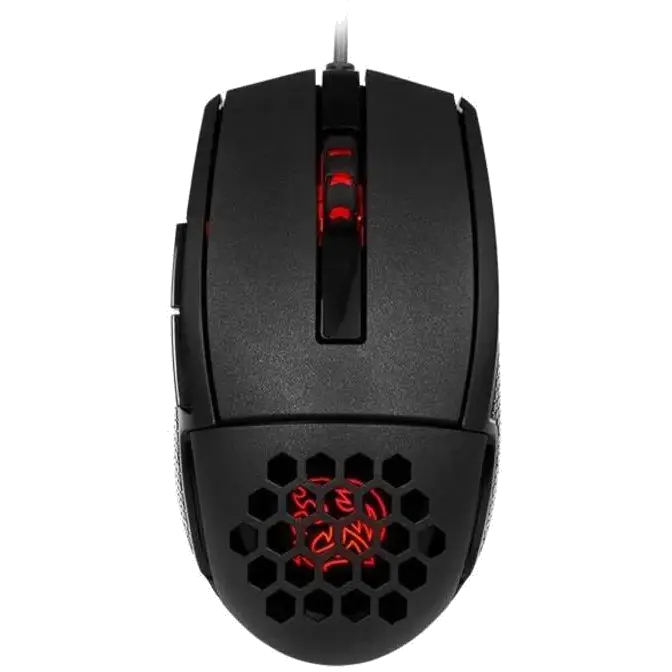
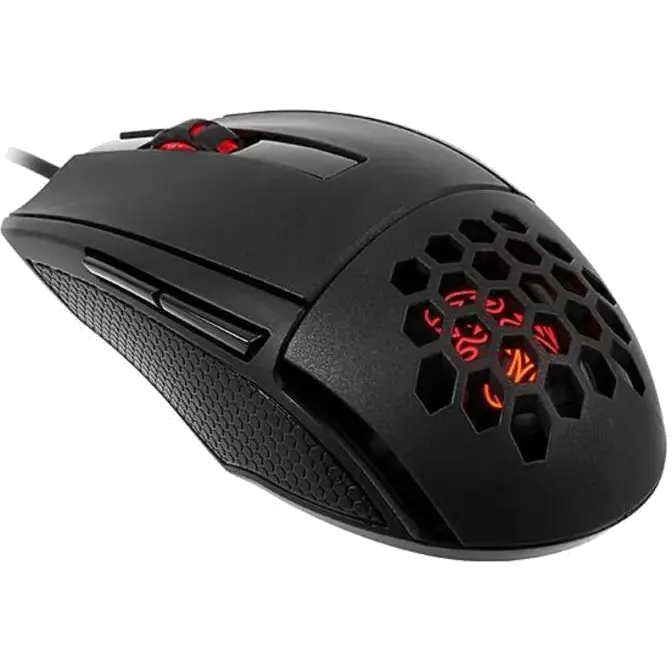
Aerodynamic honeycomb design with smart ergonomic construction enables the smooth passage of airflow from hand-to-mouse during gameplay; and creates an environment of breathability for enhanced movement and comfort during use, especially during periods extended gameplay.
POWERFUL
CUSTOMIZATION CONTROL
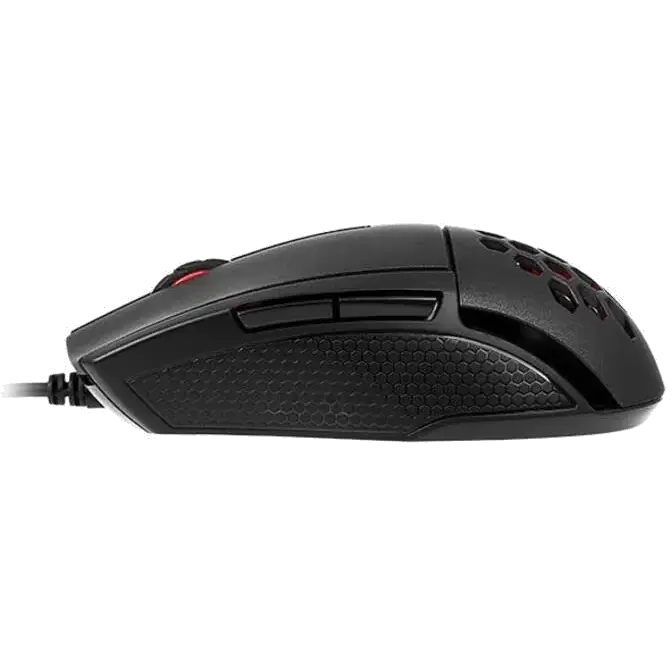
The VENTUS R mouse is built for those looking for customization. It’s built with 5 programmable buttons that can store up to 5 profiles with 25 programmable macro key options. Selectable polling rates can also be changed through the ranges of 125/250/500/1000 Hz via the gaming software.
SMALL DESIGN,
MAXIMUM COMFORT
Designed for maximum comfort and flexibility, the VENTUS R is suited towards gaming enthusiasts who desire something smaller. Ergonomic and aerodynamic design features ensure movement and flexibility are not affected.
R G B
ILLUMINATION
16.8 MILLION COLORS
The new gaming software of the VENTUS R equips the gaming mouse with 16.8 million colors across 2 zones with readily adjustable illumination from 0 to 255. Personalize your gaming mouse to your style and gameplay, whenever, wherever.
SPECIAL ADVANCED
MATTE COATING
Specially advanced coated material covers each zone of the VENTUS R for improved comfort and durability, whilst creating a perfect balance between the areas required for essential grip, and areas for soft touch during your gaming sessions.

NEW GAMING SOFTWARE
Gaming enthusiasts can adjust the color illumination of the VENTUS R via the preset color profiles stored in the 32 bit ARM processor of the mouse or download the new gaming software to customize their own color scheme. 8-bits in red, green, and blue equating to a total of 24-bits, plus 256 colors each, results to a whopping 16.8 million possible color options.
ON-BOARD
MEMORY
The VENTUS R features 256K of built-in memory which allows for quick save and recall of your favorite settings anytime and from any PC. Save up to 5 individual profiles, DPI adjustments, lighting configurations and macros all directly onto the mouse.
BUTTONS FUNCTION
VENTUS R
Right Button + Scroll Button ->
Change Backlit Effect
To choose a STATIC color, you will need to choose your desired color from the SPECTRUM RUNNING effect by pressing both buttons.
To have a PULSE effect, press both buttons again to start pulse effect.
To TURN OFF, press both buttons again. Press both buttons again to start over.
Left Button + Scroll Button ->
Change Backlit Brightness(CYCLE)
Three level brightness (0% ?50%?100%).
Mouse Button 5 + Scroll Button ->
Switch DPI Level(CYCLE)
When changing DPI, the light on mouse wheel and Tt DRAGON LOGO will flash for 3 seconds to match current DPI level. Color and DPI level as below:
RED(400DPI)?YELLOW(800DPI)?GREEN(1600DPI)? BLUE(3200DPI)?PURPLE(5000DPI).