Features
|
|
|
|
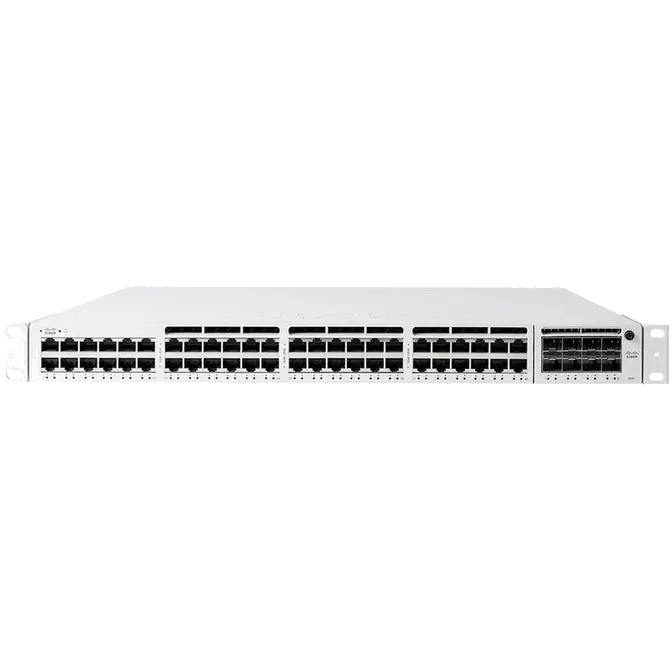
| MS350-24P | MS350-24X | MS350-48FP | |
| 1GbE RJ45 | 24 | 16 | 48 |
| 10GbE SFP+ | 4 | 4 | 4 |
| mGbE RJ45 (100M/1G/2.5G/5G/10G) | - | 8 | - |
| Hardware Stack Port | 2 | 2 | 2 |
| Dedicated Mgmt Interface | 1 | 1 | 1 |
| Hot Swap Power Supply | Yes, Dual | Yes, Dual | Yes, Dual |
| Hot Swap Fans | Yes | Yes | Yes |
| Layer 3 Routing | Yes | Yes | Yes |
| UPoE Capable | - | Yes | - |
| Max Stacking Bandwidth | 160 Gbps | 160 Gbps | 160 Gbps |
| Max Switching Capacity | 128 Gbps | 272 Gbps | 176 Gbps |
| MS350-24 | MS350-24P | MS350-24X | |
| 1GbE RJ45 | 24 | 24 | 16 |
| 10GbE SFP+ | 4 | 4 | 4 |
| mGbE RJ45 (100M/1G/2.5G/5G/10G) | - | - | 8 |
| 40G Hardware Stack Port | 2 | 2 | 2 |
| Dedicated Mgmt Interface | 1 | 1 | 1 |
| Hot Swap Fans | Yes | Yes | Yes |
| Hot Swap Power Supply | Yes, Dual | Yes, Dual | Yes, Dual |
| Layer 3 Switching | Yes | Yes | Yes |
| UPoE Capable | - | - | Yes |
Cabling Best Practices for Multi-Gigabit operations: While Category-5e cables can support multigigabit data rates upto 2.5/5 Gbps, external factors such as noise, alien crosstalk coupled with longer cable/cable bundle lengths can impede reliable link operation. Noise can originate from cable bundling, RFI, cable movement, lightning, power surges and other transient event. It is recommended to use Category-6a cabling for reliable multigigabit operations as it mitigates alien crosstalk by design.
| MS350-48 | MS350-48LP | MS350-48FP | |
| 1GbE RJ45 | 48 | 48 | 48 |
| 10GbE SFP+ | 4 | 4 | 4 |
| mGbE RJ45 | - | - | - |
| 40G Hardware Stack Port | 2 | 2 | 2 |
| Dedicated Mgmt Interface | 1 | 1 | 1 |
| Hot Swap Fans | Yes | Yes | Yes |
| Hot Swap Power Supply | Yes, Dual | Yes, Dual | Yes, Dual |
| Layer 3 Routing | Yes | Yes | Yes |
| UPoE Capable | - | - | - |
| MS350-24 | MS350-24P | MS350-24X | |
| Layer 3 Routing | Yes | Yes | Yes |
| PoE+ Capable | - | Yes, 370W | Yes, 740W |
| UPoE Capable | - | - | Yes (8 mGbe ports) |
| Switching Capacity | 128 Gbps | 128 Gbps | 176 Gbps |
| Stacking Bandwidth | 160 Gbps | 160 Gbps | 160 Gbps |
| MS350-48 | MS350-48LP | MS350-48FP | |
| Layer 3 Routing | Yes | Yes | Yes |
| PoE+ Capable | - | Yes, 370W | Yes, 740W |
| UPoE Capable | - | - | - |
| Switching Capacity | 176 Gbps | 176 Gbps | 176 Gbps |
| Stacking Bandwidth | 160 Gbps | 160 Gbps | 160 Gbps |
| MS350-24 | MS350-24P | MS350-24X | |
| Mount Type | 1U Rack Mount | 1U Rack Mount | 1U Rack Mount |
| Dimensions (h x w x d) |
1.72 x 19.07 x 18.85in (4.38 x 48.46 x 47.9cm) |
1.72 x 19.07 x 18.85in (4.38 x 48.46 x 47.9cm) |
1.72 x 19.07 x 20.32in (4.38 x 48.46 x 51.62cm) |
| Weight | 12.37 lb (5.61 kg) | 13.14 lb (5.96 kg) | 14.48 lb (6.6 kg) |
| Power Consumption | 56 - 888W | 56 - 888W | 56 - 888W |
| Power Load (idle/max) | 56 / 66 W | 57 / 466 W | 215 / 867 W |
| Operating Temperature | 23 °F - 122 °F -5°C - 50°C |
23 °F - 122 °F -5°C - 50°C |
23 °F - 122 °F -5°C - 50°C |
| Humidity | 5% to 95% | 5% to 95% | 5% to 95% |
| MS350-48 | MS350-48LP | MS350-48FP | |
| Mount Type | 1U Rack Mount | 1U Rack Mount | 1U Rack Mount |
| Dimensions (h x w x d) | 1.72 x 19.07 x 18.85in (4.38 x 48.46 x 47.9cm) |
1.72 x 19.07 x 18.85in (4.38 x 48.46 x 47.90cm) |
1.72 x 19.07 x 20.32in (4.38 x 48.46 x 51.62cm) |
| Weight | 11.56 lb (5.24 kg) | 12.37 lb (5.61 kg) | 12.83 lb (5.82 kg) |
| Power Consumption | 56 - 888W | 56 - 888W | 56 - 888W |
| Power Load (idle/max) | 56 / 63 W | 63 / 478 W | 69 / 888 W |
| Operating Temperature | 23 °F - 122 °F -5°C - 50°C |
23 °F - 122 °F -5°C - 50°C |
23 °F - 122 °F -5°C - 50°C |
| Humidity | 5% to 95% | 5% to 95% | 5% to 95% |
The MS uses LEDs to inform the user of the device's status. When the device powers on, all the Internet LEDs flash twice. Additional functions are described below, from left to right.
Front Panel Components
|
Item |
Function |
LED Status |
Meaning |
|---|---|---|---|
|
1 |
Power |
Solid orange |
Switch is unable to connect to the Meraki cloud |
|
Flashing white |
Firmware upgrade in process |
||
|
Solid white |
Switch is fully operational and connected to the Meraki cloud |
||
|
Off |
Switch does not have power |
||
|
2 |
Switch Ports |
Off |
No client connected |
|
Solid orange |
10/100 Mbps (1 Gbps on SFP+) |
||
|
Solid green |
1/2.5/5/10 Gbps (10 Gbps on SFP+) |
Back Panel Components
|
Item |
Function |
LED Status |
Meaning |
|---|---|---|---|
|
1 |
Restore |
N/A |
Restore button to clear switch IP and local configuration settings |
|
2 |
Management Interface |
Green |
Connected, used for easy access to the local status page |
|
3 |
Stack Ports |
N/A |
Stack Cables are connected here |
|
4 |
Redundant Fans |
Green |
Active and operational |
|
5 |
Redundant Power Supplies |
Green |
Active and functional power supplies |
Power cords may be ordered separately.
Equipment is to be used only in a restricted access location and installed/operated only by trained service personnel.
My device is connected to the network but not checking in to the Meraki cloud or shows a solid Orange LED.
Confirm that the device is powered on and has a valid IP address that is able to access the Internet. Use the Local Status Page to get more information about the connectivity status of the device such as if it can successfully reach the Local Gateway, Internet, and/or Meraki Cloud servers. If necessary, contact Meraki Support for additional assistance.
My Status LED is blinking WHITE
A blinking WHITE Status LED indicates that the device is in contact with the Dashboard Cloud servers and is performing a firmware update. This can sometimes take 20-45 minutes or more to complete depending on hardware and other factors.
My Status LED is blinking ORANGE
The device is not able to successfully communicate with the Dashboard Cloud servers or there may be a hardware issue with the device. Check the Local Status Page of the device to confirm the status and reach out to Meraki Support for further troubleshooting.
The most common Event Log messages and their meaning are listed below.
Indicates the STP state of the port has changed, lists the relevant port number, previous, and new states. Typically accompanied by a 'Port status change' event.
Indicates the link state of the port has changed, lists the relevant port number, old, and new state. Always accompanied by a 'Port STP change' event.
Indicates that an SFP module was either inserted or removed, includes SFP module information for inserted events and always lists the relevant port number.
View our dedicated Switch Stacking document for more detailed information about configuring a Switch Stack and common issues.
Ensure all stack members are configured on dashboard, online and connected via their stacking ports. If connected and configured correctly, the error will disappear within 20-30 minutes. If the error persists, please contact Cisco Meraki Technical Support for further troubleshooting.

This error can occur in the following scenarios:

This error can occur in the following scenarios:

This error can occur in the following scenarios:
1 Year
Manufacturers Warranty

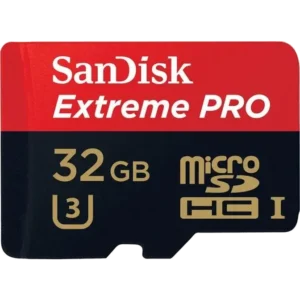
PN: SDSDQXP-032G-Q46A
Original price was: $45.$29Current price is: $29.