
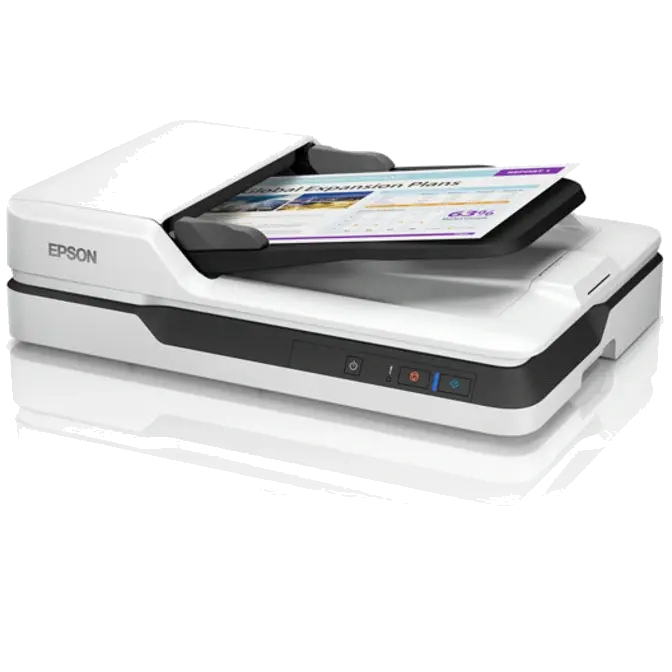




Automatic Document Feeder
High on the list of the Epson DS-1630's professional document management features is the built-in Automatic Document Feeder (ADF). With a 50-page capacity and the ability to manage paper sizes including A6, A5, B5, Letter, A4 and Legal, the ADF delivers automatic feeding and scanning functionality at speeds of up to 25 pages per minute*.
When used in conjunction with the wide range of document management, conversion and manipulation tools included with Epson Scan 3.4 Software, the DS-1630's ADF affords business users with a comprehensive document management solution.
* Monochrome, 300dpi, A4

Manage critical documents
Scan to email, an FTP server or any folder on your PC. The WorkForce DS-1630 supports ISIS and TWAIN drivers. And, it includes OCR software for creating searchable PDF's3 or scanning directly to Word and Excel files.

Document Capture Pro
Bundled software includes Document Capture Pro. This industry benchmark software handles a variety of scanning jobs with no hassle, including batch separation, editing and data transfer. It offers many "scan-to" options, such as "scan-to Email", "scan to print" and "scan to cloud". It's versatile functions expand data usability and online document workflow.
Document Image Adjustment Tools
Among the numerous features built-in to the Epson Scan 2 Software is a range of document image adjustment tools, each of which has been designed to address a specific issue that typically detracts from scanned document readability. These tools include:
- Text Enhancement: This feature delivers greater definition of text characters and removes the document's background, thereby eliminating the problem of "see through" that often occurs when scanning double-sided documents. Importantly, this tool helps to improve the accuracy of text recognition software.
- Colour Enhancement: A flexible tool that enables selected colours to be enhanced during the scanning process. This is of particular value when a document contains colour or very light (as in a fax) text that might otherwise not be "picked up" by the scanner during text scanning.
- Dropout Colour: Similar in operation to Colour Enhancement, Dropout Colour allows users to specify a colour that is ignored during the document scanning process.