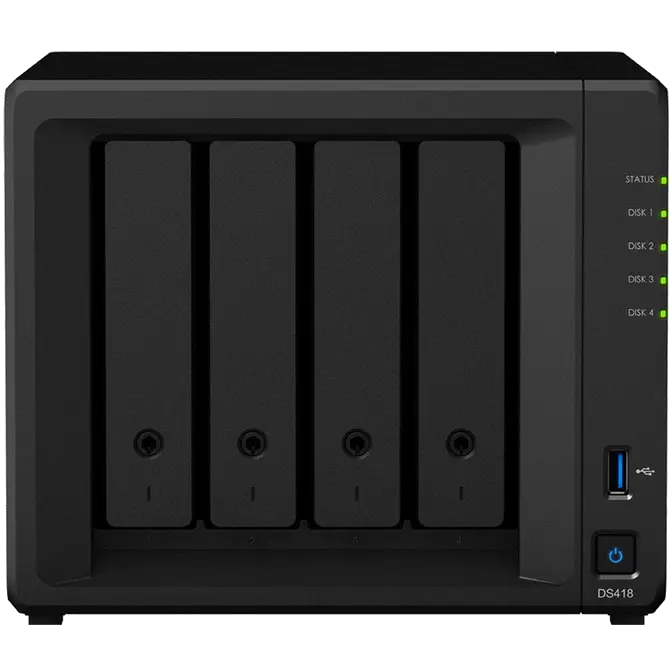
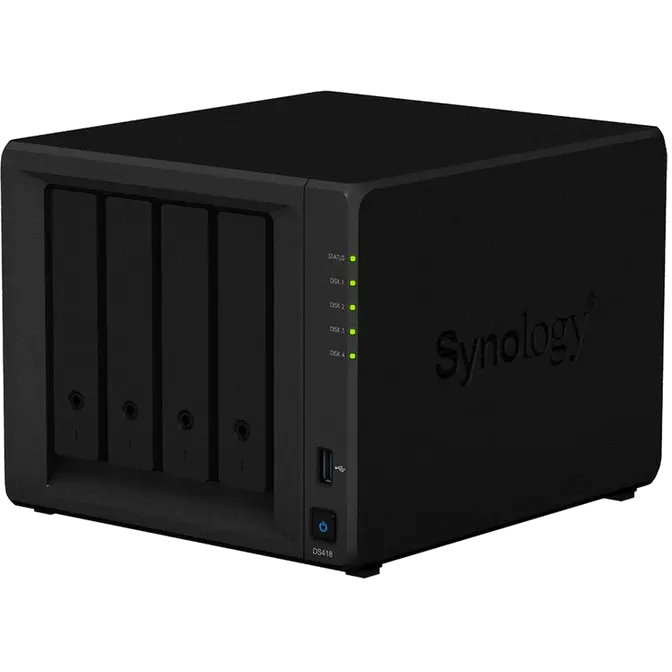


Versatile NAS server for centralized file storage and real-time 4K H.265 video transcoding
Synology DS418 comes with a new 64-bit quad-core processor, delivering excellent data transfer speed, large storage volume management, and 10-bit 4K H.265 video transcoding on the fly.
CPU
Quad-core 1.4GHz
Network
Dual 1GbE LAN ports
Memory
2GB DDR4
Performance
Over 226 MB/s and 170 MB/s sequential reading and writing
Synchronize files across your devices
Cloud Station Suite provides real-time data synchronization across all your devices, such as computers, mobile devices, and other Synology NAS whenever a file is modified. "Intelliversioning" keeps the most important file versions to better utilize storage space. Learn more
Cloud Station Sharesync
Cloud Station Drive
Cloud Station Server
DS Cloud
Real-time collaboration on your private cloud
Office is a collaboration package combining the convenience and usability of public clouds with the data privacy and security guaranteed by private clouds. It allows you to work seamlessly together on documents and spreadsheets in a protected environment.
Real-time collaboration on the same online documents to boost productivity,
Instant communication on Synology Chat during the editing of documents or spreadsheets
Version control for you to navigate all the changes and retrieve previous versions with just a click
4K Multimedia Server
Access and stream your favorite 4K content anywhere, anytime. DS418 supports 10-bit 4K H.265 online transcoding via Video Station and DS video, allowing 4K videos to be converted and played on your computers, mobile devices, or other media players that don't support Ultra HD formats. Learn more
4K Multimedia Server
Access and stream your favorite 4K content anywhere, anytime. DS418 supports 10-bit 4K H.265 online transcoding via Video Station and DS video, allowing 4K videos to be converted and played on your computers, mobile devices, or other media players that don't support Ultra HD formats. Learn more
Synology Hybrid RAID (SHR) technology
Storage management is easy with Synology Hybrid RAID (SHR) technology. SHR is an automated RAID management system allowing you to easily create and expand storage volumes and migrate RAID types without requiring details on RAID. SHR provides 1 to 2-disk redundancy to safeguard your data during drive failures.
Cost-effective
SHR maximizes the data capacity of your RAID when different sizes of HDDs are used. Calculate your RAID needs.
Easy Management
For novice users who have no technical background and still want to protect their data using RAID technology, a convenient installation wizard will guide you through all the steps during your first installation.
Scalability
You can add new disks on the fly in Storage Manager with a simple click. Learn more about SHR.
Flexibility
While creating a volume, you can plan ahead and leave empty and unallocated space for future usage.
Easy file access with QuickConnect
Access files on your Synology NAS over the Internet without the hassle of setting up port forwarding rules, DDNS, or other complicated network settings. QuickConnect allows you to connect via a simple customizable address (e.g. https://customID.quickconnect.to), so that you can instantly access media and work files on any Windows/Mac/Linux computer, laptop, or mobile device without additional charge.
Powered by Synology DSM
Surveillance Station
Complete surveillance solution for recording, monitoring, and management.
Learn more
Desktop Backup
Simplified backup solution for your Mac, PC, and mobile devices.
Learn more
Public Cloud Integration
Backup and synchronize data easily between your public cloud accounts and your NAS.
Learn more
DSM UI
Award-winning operating system with an intuitive user interface and powerful capabilities.
Learn more
Security
Comprehensive built-in security tools are constantly updated to tackle evolving threats and protect your devices.
Learn more
Multimedia
Complete multimedia solution for management, streaming, and playback.
Learn more
- 1Status indicator
- 2Drive status indicator
- 3Drive tray lock
- 4USB 3.0 port
- 5Power button and indicator
- 6Drive tray
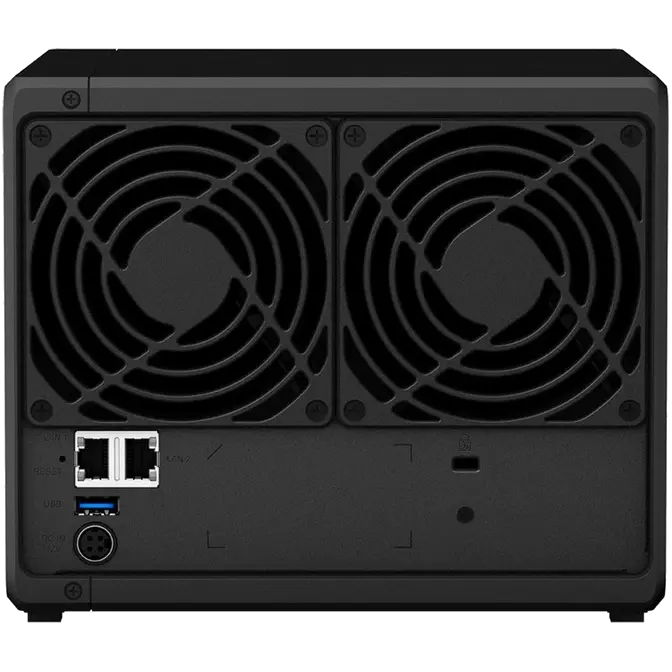
- 71GbE RJ-45 port
- 8Reset button
- 9USB 3.0 port
- 10Power port
- 11Fan
- 12Kensington Security Slot